When Debian based live ISO is booted start terminal and type:
 mount -t proc proc /mnt/sda5/proc
 mount -t sysfs sys /mnt/sda5/sys
 mount -o bind /dev /mnt/sda5/dev
 chroot /mnt/sda5 /bin/bash
Then run:
 update-grub2
 grub-install /dev/sda

When Debian based live ISO is booted start terminal and type:
mount -t proc proc /mnt/sda5/proc
mount -t sysfs sys /mnt/sda5/sys
mount -o bind /dev /mnt/sda5/dev
chroot /mnt/sda5 /bin/bash
Then run:
update-grub2
grub-install /dev/sda
Since Dropbox does not allow it’s folder to be located on external memory like USB stick or SD card, you will need to create symbolic link in Windows command prompt.
You will need to create symlink to point from your HDD location to your external memory. Continue reading “Create symbolic link to Dropbox directory in Windows”
I decided to replace default Zippy joystick that came with iCade with Sanwa JLF-TP-8Y-MB without mounting plate that fits perfectly into mounting holes in the casing. In order to overcome some configuration issues created by physical mounting of the joystick I needed to look into xboxdrv.
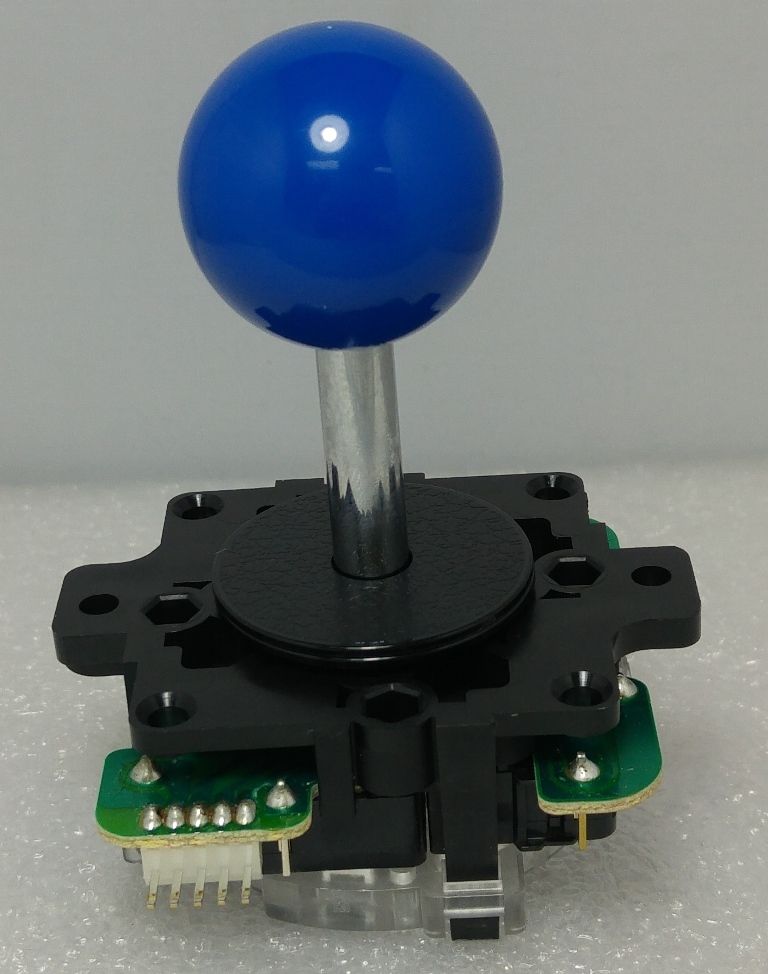 Continue reading “Retropie USB Universal Controller Calibration & Mapping with xboxdrv”
Imagine the situation where you have 2 hosts:
You want to access client via SSH over the Internet but you can not access it because it is behind firewall that does not allow connections to the host via public IP.
My idea was to use reverse SSH tunnel started on client side, so I will be able to access client via server IP.
On your client you need to start SSH connection with something like:
ssh -f -T -N -R SERVER_IP:SERVER_PORT_TO_ACCESS_CLIENT:localhost:CLIENT_PORT_TO_ACCESS user@SERVER_PUBLIC_IP -p SERVER_SSH_PORT
If this works, you could access your client directly from server by using 127.0.0.1 since the reverse tunnel will listen only on localhost.
tcp 0 0 127.0.0.1:9999 0.0.0.0:* LISTEN
So your server is listening on localhost instead on SERVER_IP you ran on the client.
Chech your SSHd server configuration for example in file /etc/ssh/sshd_config following option should be enabled:
GatewayPorts yes
If it is not present you need to add it to your sshd_config and restart sshd.
tcp 0 0 0.0.0.0:9999 0.0.0.0:* LISTEN
You will be able to access your client port from any IP on server via port 9999 in this example.
In order to get my 20×4 LCD display with cheap IIC/I2
This worked fine on my RPi3 running Debian Jessie, but recently I have upgraded to Stretch and found out that his driver now is having issues. After running for longer period of time the screen would be full of garbage characters.
I thought I could repeat the steps, download source, patch the source, compile and use again hd44780.so file instead of the one provided by distribution.
First thing I did was to download latest source from GitHub:
wget https://github.com/lcdproc/lcdproc/archive/master.zip
unzip master.zip
cd lcdproc-master
Now I tried to apply the hd44780-i2c.c patch but it failed. Then I checked the hd44780-i2c.c file in the source I found out that patch is no longer needed just proper configuration in LCDd.conf.
In order to compile the latest driver from GitHub following steps are needed:
./autogen.sh
./configure --disable-libusb --disable-libusb-1-0 --enable-drivers=hd44780 --disable-libftdi
make
After you have compiled the driver, go to directory:
cd /usr/lib/arm-linux-gnueabihf/lcdproc/
and backup existing file just in case something goes wrong:
cp hd44780.so hd44780.so.orig
Then copy the newly compiled driver in proper place:
cp /usr/local/src/lcdproc-master/server/drivers/hd44780.so .
Edit LCDd.conf and add the following after hd44780 part:
i2c_line_RS=0x01
i2c_line_RW=0x02
i2c_line_EN=0x04
i2c_line_BL=0x80
i2c_line_D4=0x10
i2c_line_D5=0x20
i2c_line_D6=0x40
i2c_line_D7=0x80
Backlight=yes
BacklightInvert=yes
You can download my newly compiled driver and LCDd.conf from this link hd44780_debian_stretch.
I hope this has saved you some time and got your 20×4 LCD working with Debian Stretch.
Update
I have moved my LCD display to Pine64 SBC and since this is different architecture I needed to re-compile it using the same steps as above.
You can dowload aarch64 version hd44780.so aarch64.